Process Navigator
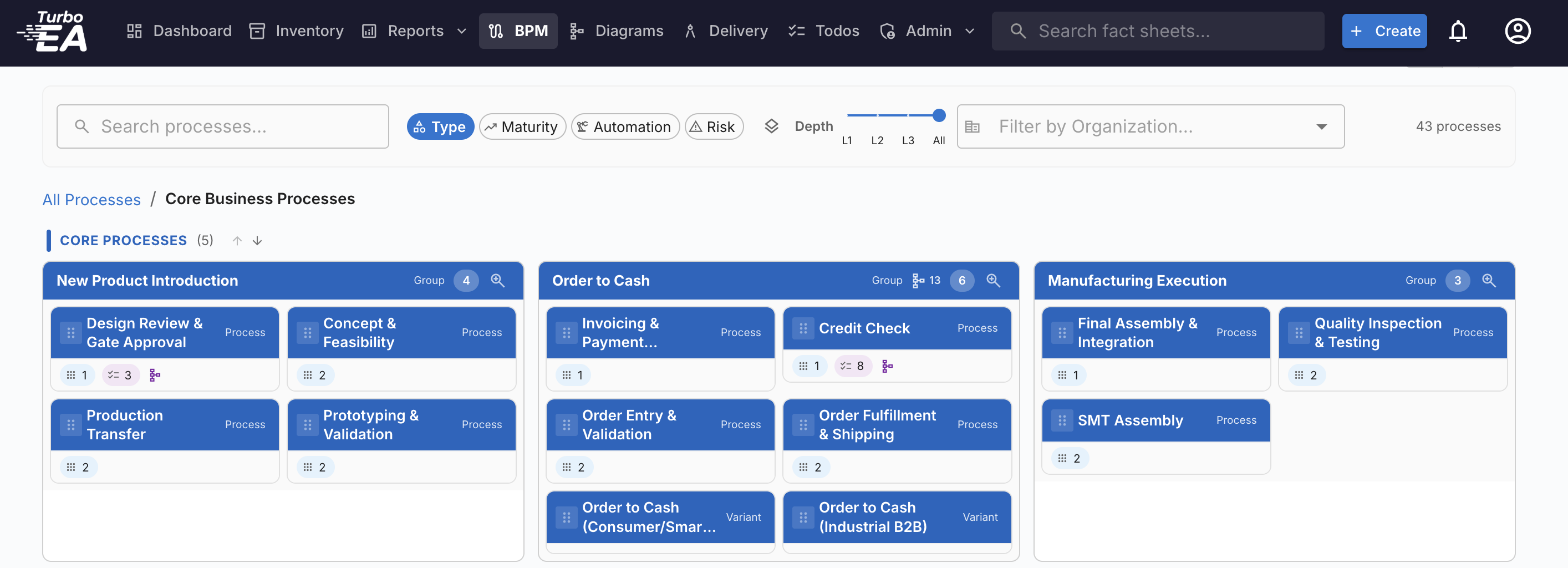
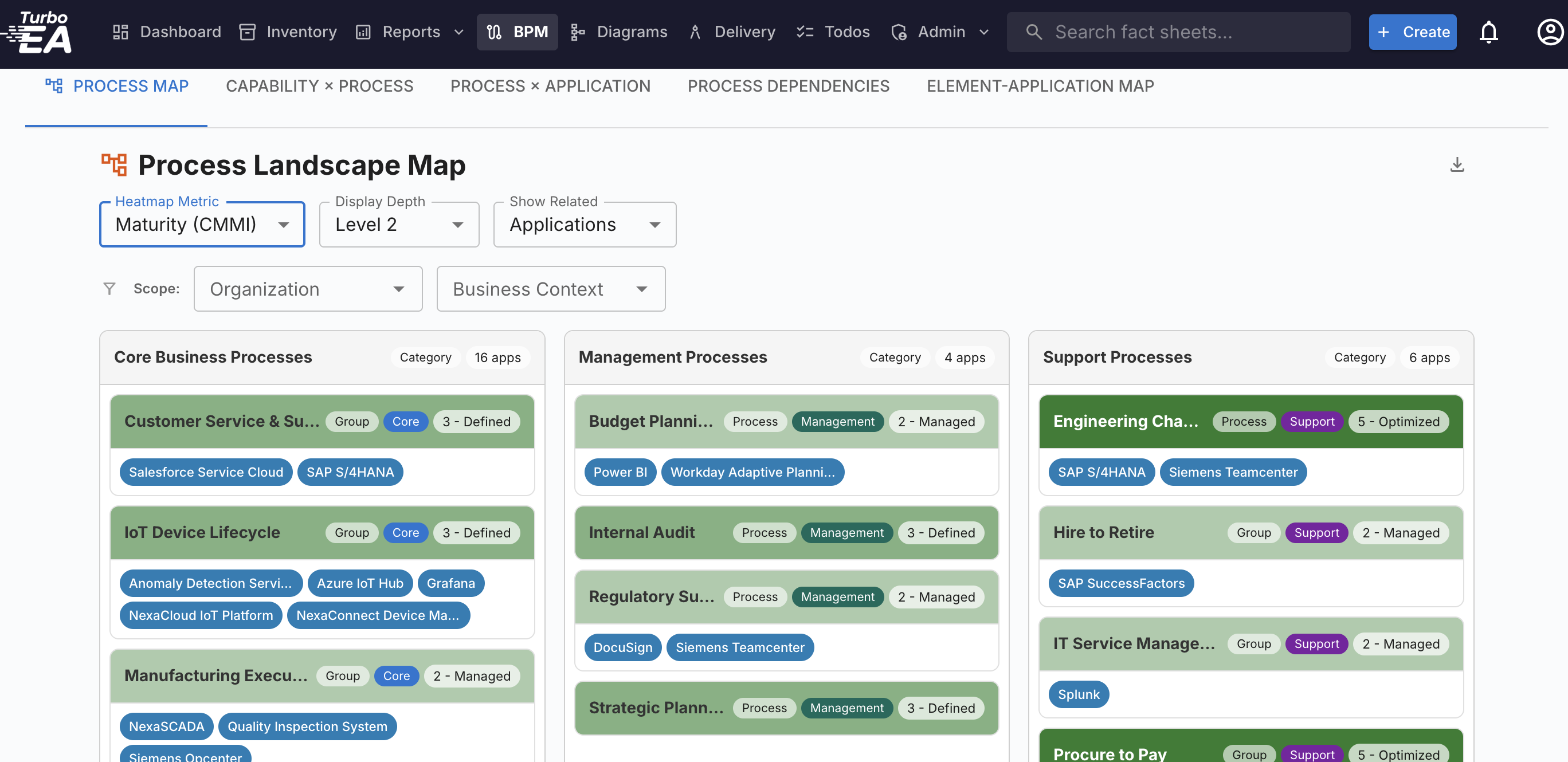
Visual process explorer that maps every process to its supporting applications, data objects, and IT components, with drill-down from capability to individual BPMN steps.
Turbo EA is an Open Source self-hosted Enterprise Architecture Management platform with embedded BPM. Map applications, capabilities, technologies, and their relationships with a fully admin-configurable metamodel, AI-assisted metadata, and multilingual support.
Need a hand putting it to work? Implementation · Bespoke extensions · EA advisory · Training
Trusted by architecture teams worldwide


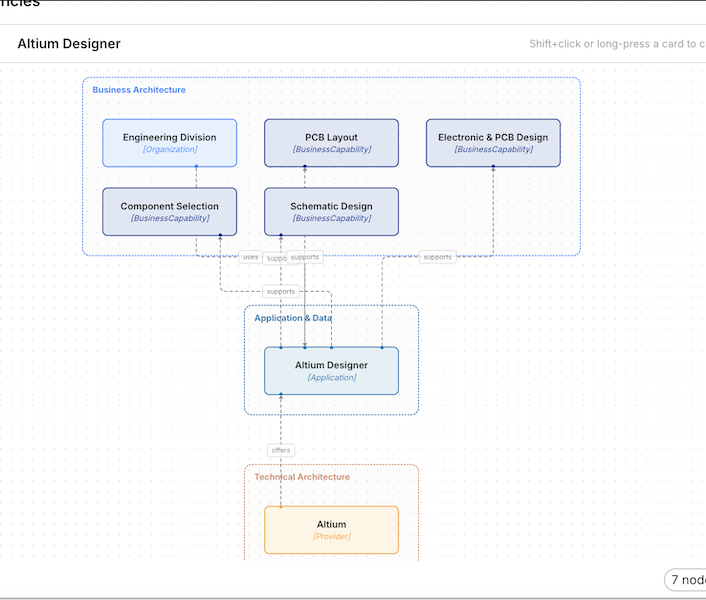
Every element in your enterprise is a Card: connected, typed, and fully configurable, from strategy down to infrastructure.
45 relation types connect everything togetherDefine strategic goals, platforms, and transformation initiatives that drive your enterprise forward.
Model your organization, business capabilities, and value streams with full hierarchy support.
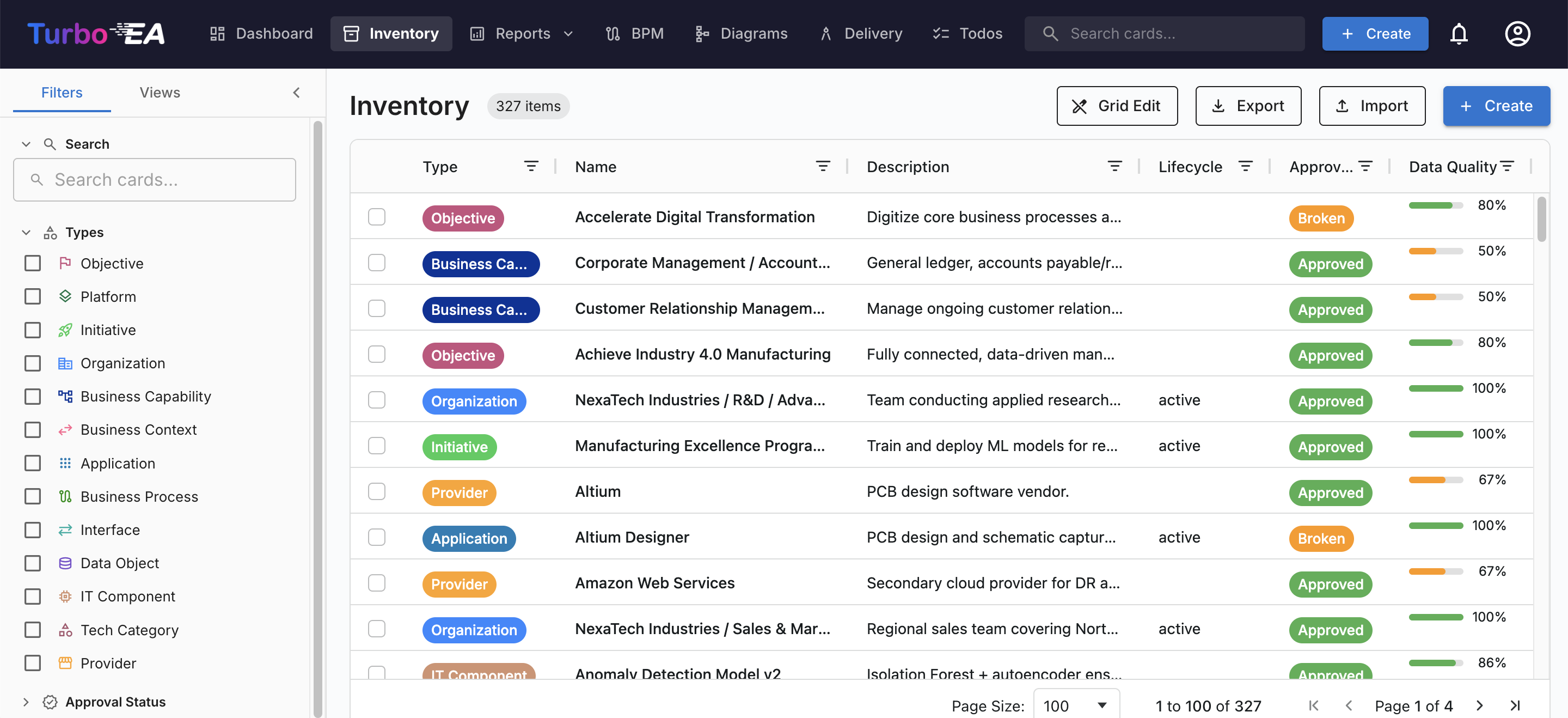
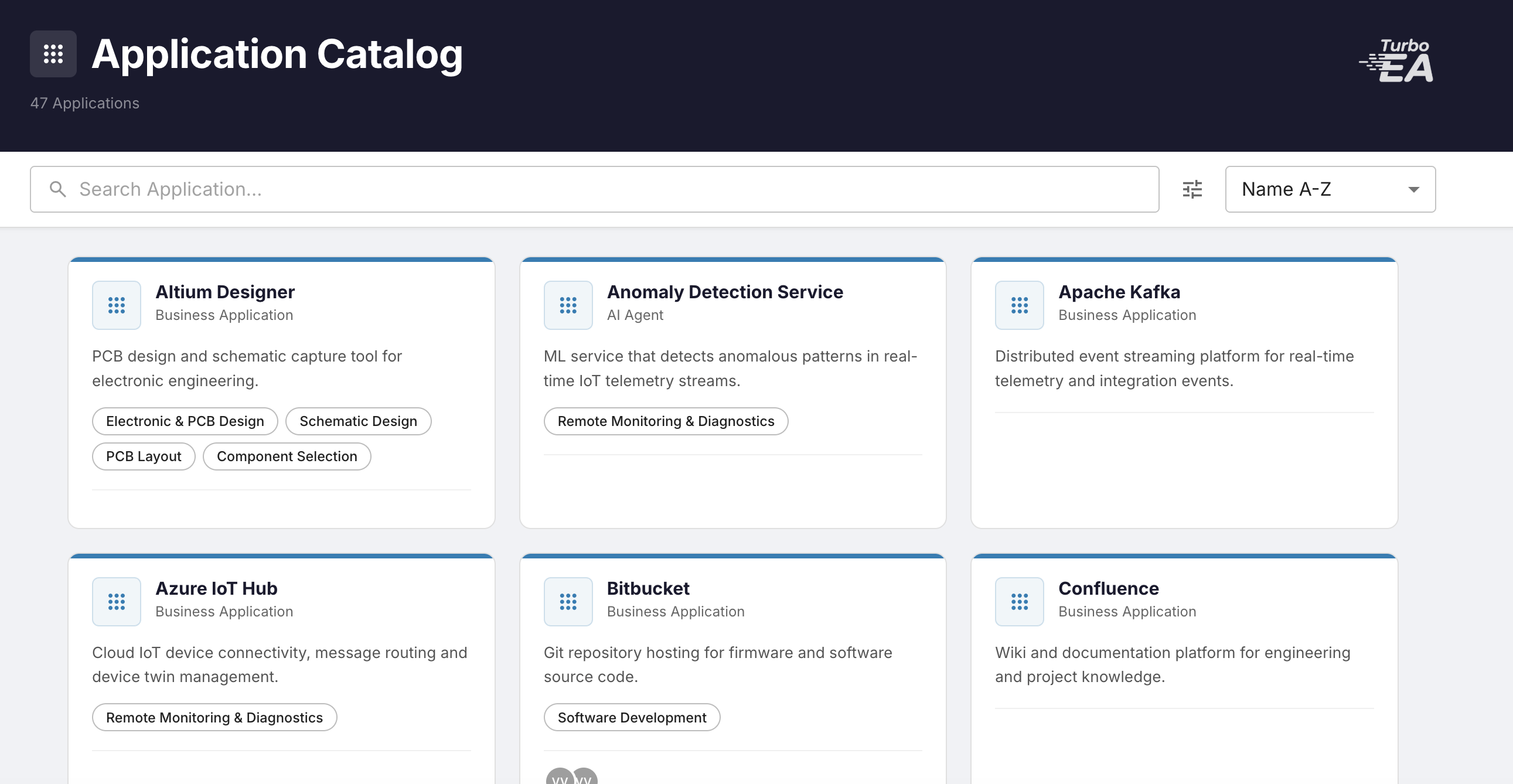
Catalog every application, API, microservice, and data object with CRUD mappings and interfaces.
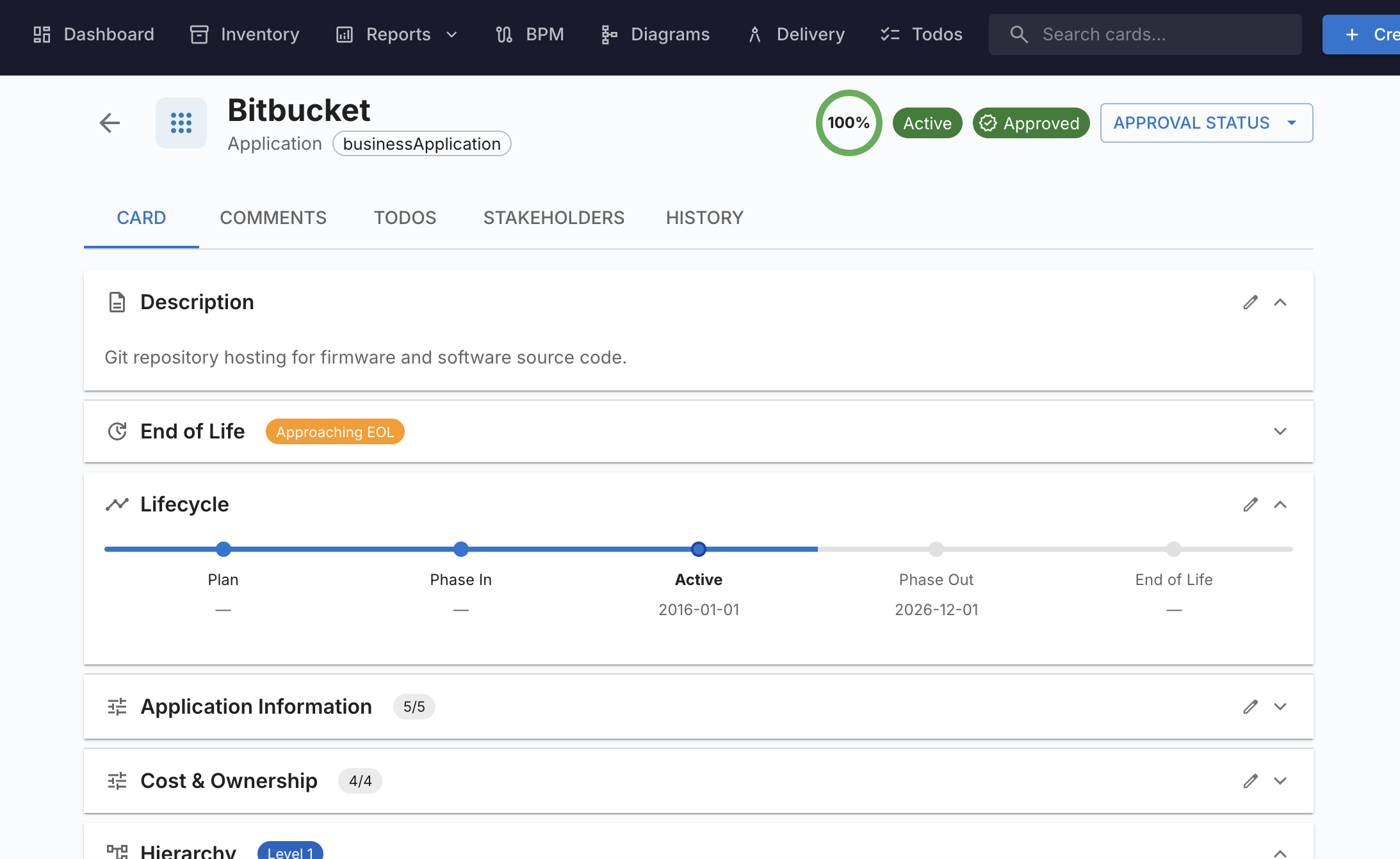
Track software, hardware, SaaS, providers, and systems with end-of-life monitoring.
Cataloguing your IT landscape is the start, not the goal. Turbo EA connects strategy to delivery with TOGAF-aligned governance and three embedded disciplines that most EA tools force you to buy separately: business process management, project & portfolio management, and Statements of Architecture Work.
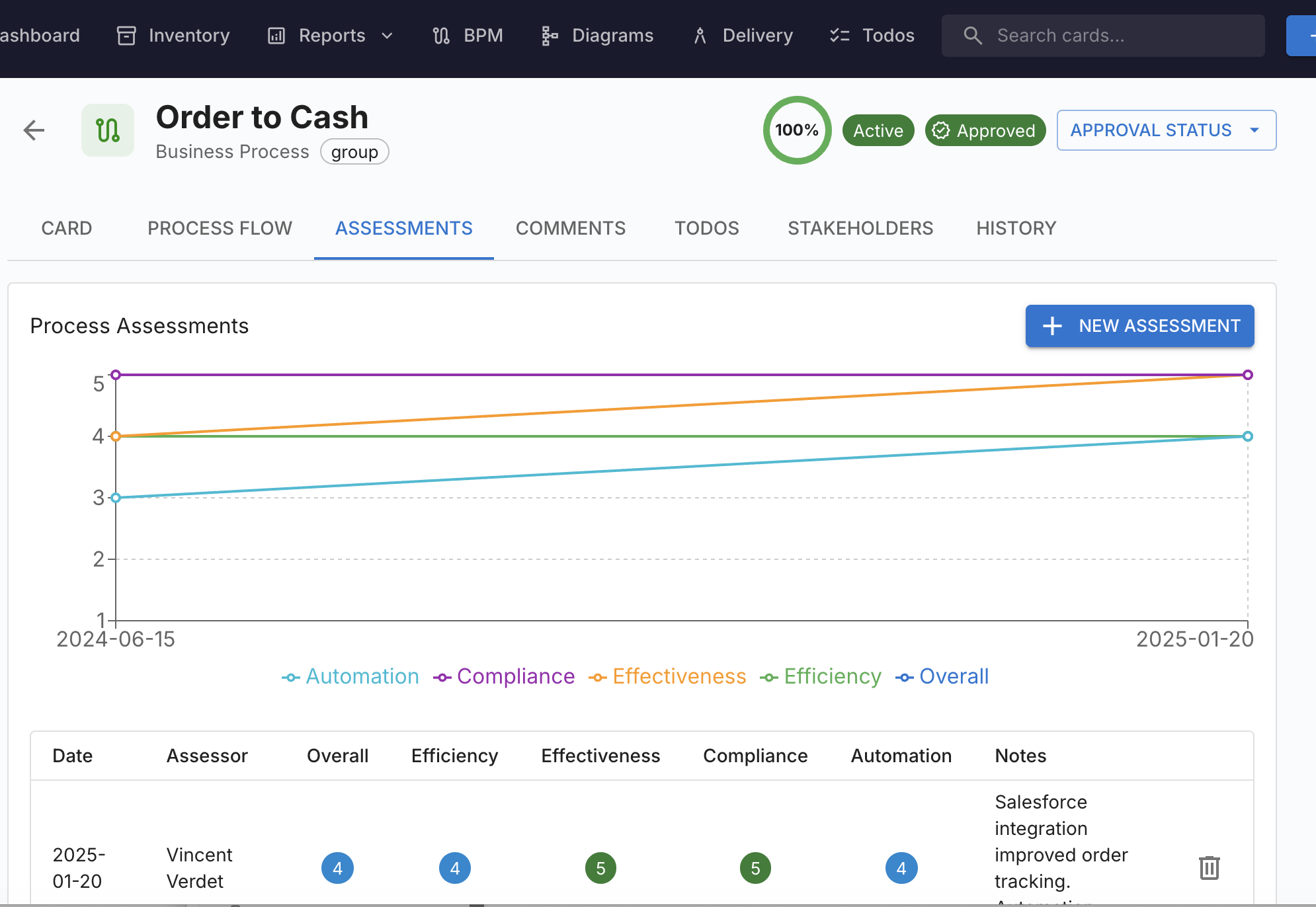
Native BPMN 2.0 process modeler with Process Navigator, EA cross-referencing, and process assessments. Every process step links back to the applications, data, and components that support it.
Explore BPMTOGAF Statement of Architecture Work editor with rich-text sections, version history, sign-off workflows, and DOCX export. Frame every transformation engagement with a clear scope, deliverables, and approval trail.
See SoAWRun initiatives end-to-end without a second tool. Portfolio Gantt with cost and health rollups, hierarchical WBS, Kanban board, budget tracking, and a probability-impact risk register, all linked to capabilities and applications.
See PPMAligned with the TOGAF Architecture Development Method. Business Architecture (Phase B) meets Implementation Governance (Phase G) in a single repository, with the SoAW as the contract between them.
From inventory management to architecture delivery, Turbo EA covers the full EA lifecycle.
Define your own card types, fields, subtypes, and relation types. The metamodel is data, not code.
A pre-built catalogue of 9,200+ business capabilities across multiple industries, importable in minutes and browseable online.
Drag-and-drop editor for card detail pages with section ordering, field grouping, and two-column layouts.
Admin-configurable formula engine with IF, SUM, AVG, COUNT and more, plus a syntax-highlighted editor.
AG Grid data tables with advanced filtering, column customization, Excel import and export, and full-text search.
Approval workflows, auto-computed data quality scoring, data maintenance surveys, and hierarchical tags.
Automatic matching against 300+ products from endoflife.date, with bulk linking and EOL risk visualization.
Threaded comments, todos, real-time updates, email notifications, and custom RBAC with 50+ granular permissions.
Statement of Architecture Work editor with rich text sections, version history, sign-off workflows, and DOCX export.
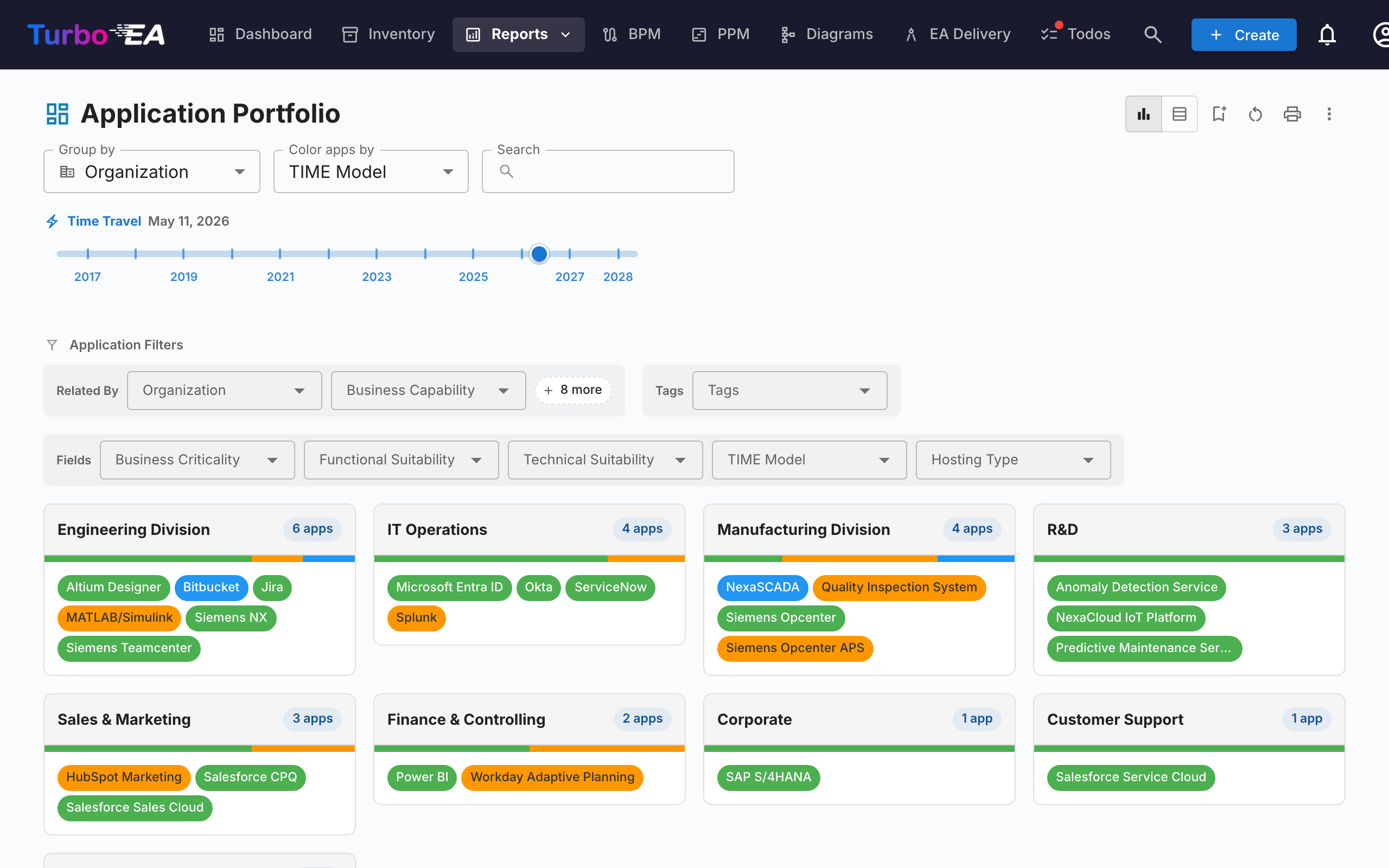
View any report as it appeared at a historical date with a timeline slider to track how your architecture evolved.
Portfolio bubbles, capability heatmaps, lifecycle roadmaps, dependency graphs, cost treemaps, and more.
Integrated DrawIO editor with card-aware shapes. Drag applications, interfaces, and systems into diagrams.
Publish curated, public-facing views of your architecture with configurable cards and filters. No login required.
Full UI localization in English, French, German, Portuguese, Italian, Spanish, Chinese, Russian, Arabic, and Danish.
Turbo EA embeds AI directly into your EA workflow, from smart metadata suggestions to a full MCP server that lets your corporate approved AI agent query your architecture.
Works with any MCP-compatible AI agent
The embedded AI analyzes your card content and suggests descriptions. Reduce manual data entry and improve consistency across your entire repository.
Built-in Model Context Protocol server, now bidirectional. Any MCP client (Claude, Gemini, Copilot, ChatGPT) can both query your architecture and write to it. Hand the agent a BPMN file, a DrawIO diagram, a CMDB export, a spreadsheet, or a screenshot, and it creates the cards, relations, and diagrams for you.
Generate a complete Target Architecture, Initiative, and Architecture Decision Record from Business Requirements. The AI Architect analyzes your EA Principles and existing landscape to guide you towards a relevant, well-fitted solution.
The only EA platform with a native BPMN 2.0 process modeler. Model, analyze, and connect business processes directly to your enterprise architecture. No third-party tool required.
Visual process explorer that maps every process to its supporting applications, data objects, and IT components, with drill-down from capability to individual BPMN steps.
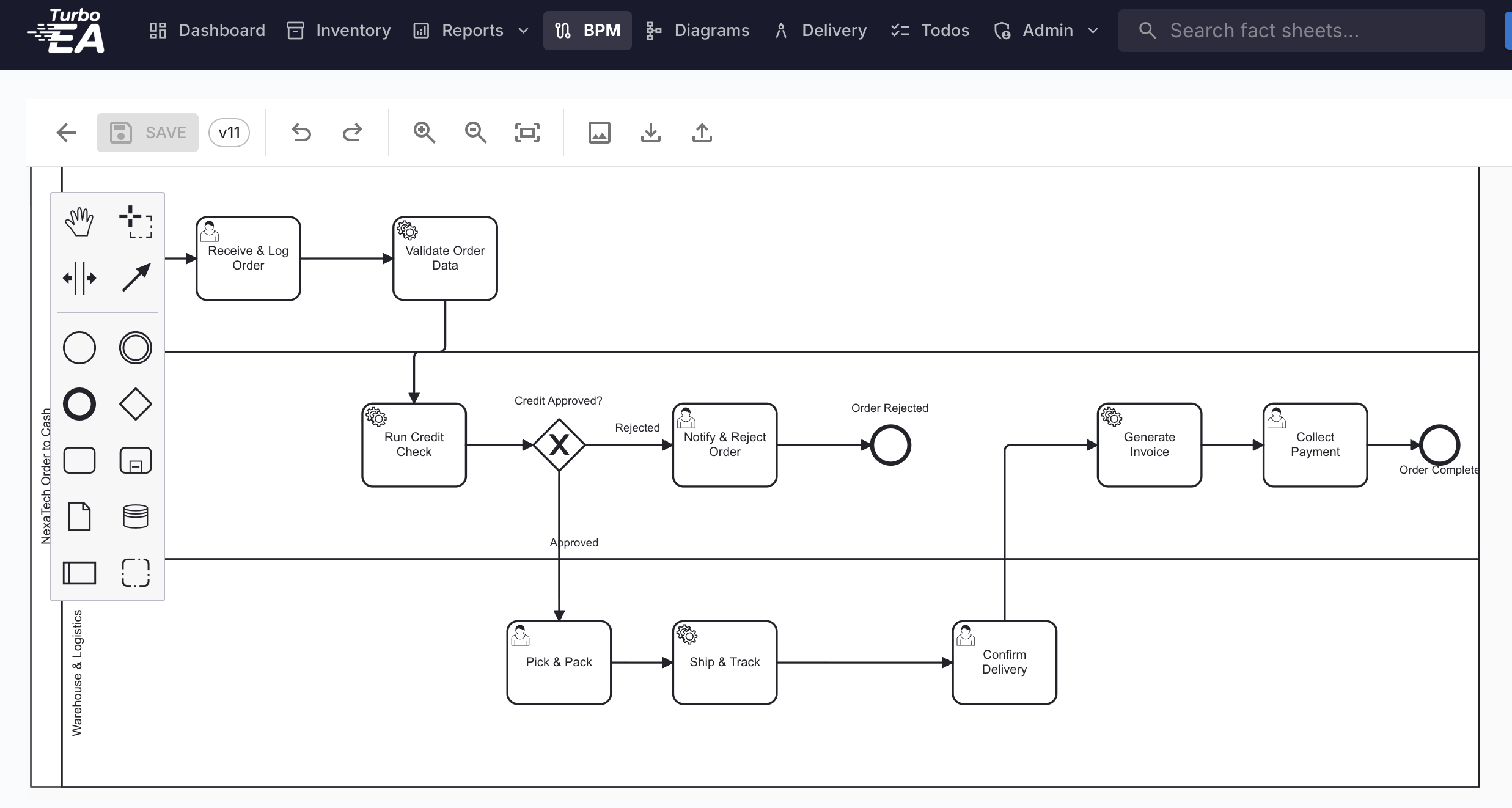
Full-featured modeling with bpmn-js: tasks, gateways, events, pools, and lanes, with draft, published, and archived states plus version history.
Link BPMN elements directly to applications, data objects, IT components, and interfaces. See which systems support which process steps in real time.
Rate automation level, maturity, complexity, and business criticality. Aggregate scores roll up across the capability hierarchy.
Standard BPMN 2.0 XML interop. Import processes from Camunda, Signavio, or ARIS, and export for execution or compliance documentation.
Start from pre-built templates for common patterns: approval workflows, onboarding, change management, incident response, and more.
Ten interactive report types give you real-time visibility into your architecture landscape.
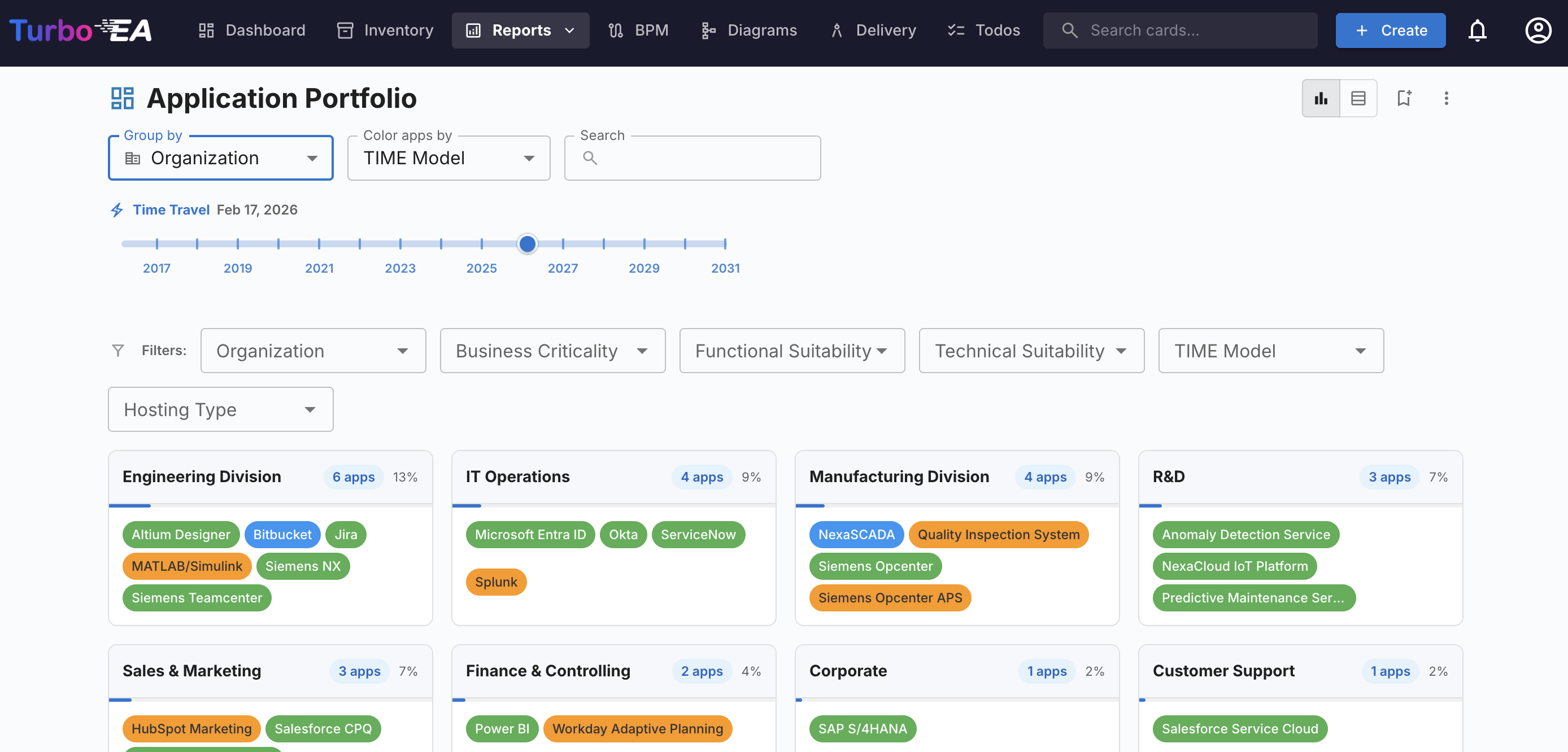
TIME model bubble chart with configurable X/Y/size/color axes. Plot applications by business criticality, functional fit, technical fit, and cost.
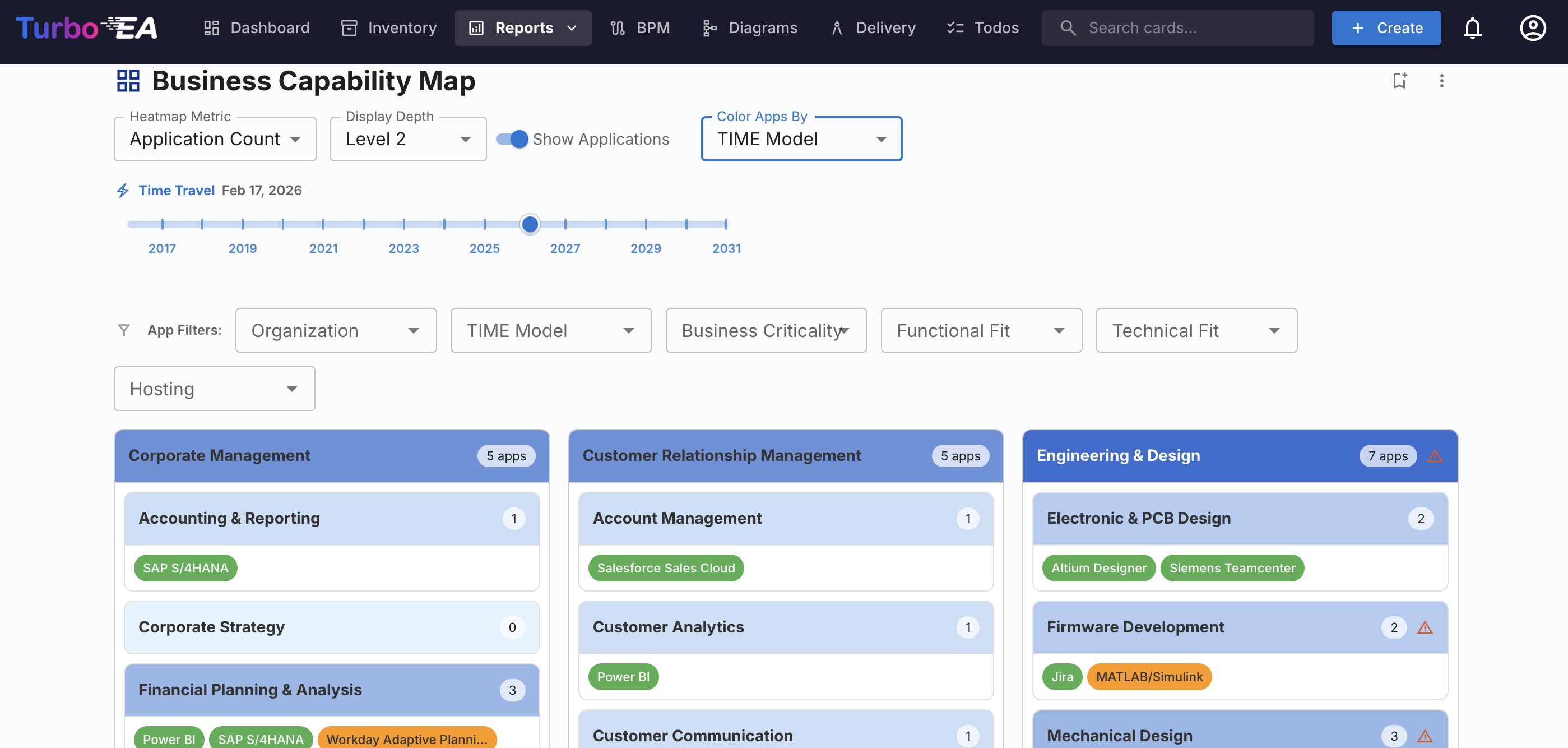
Hierarchical business capability map with color-coded heatmap overlays. See application density, cost concentration, and risk at a glance.
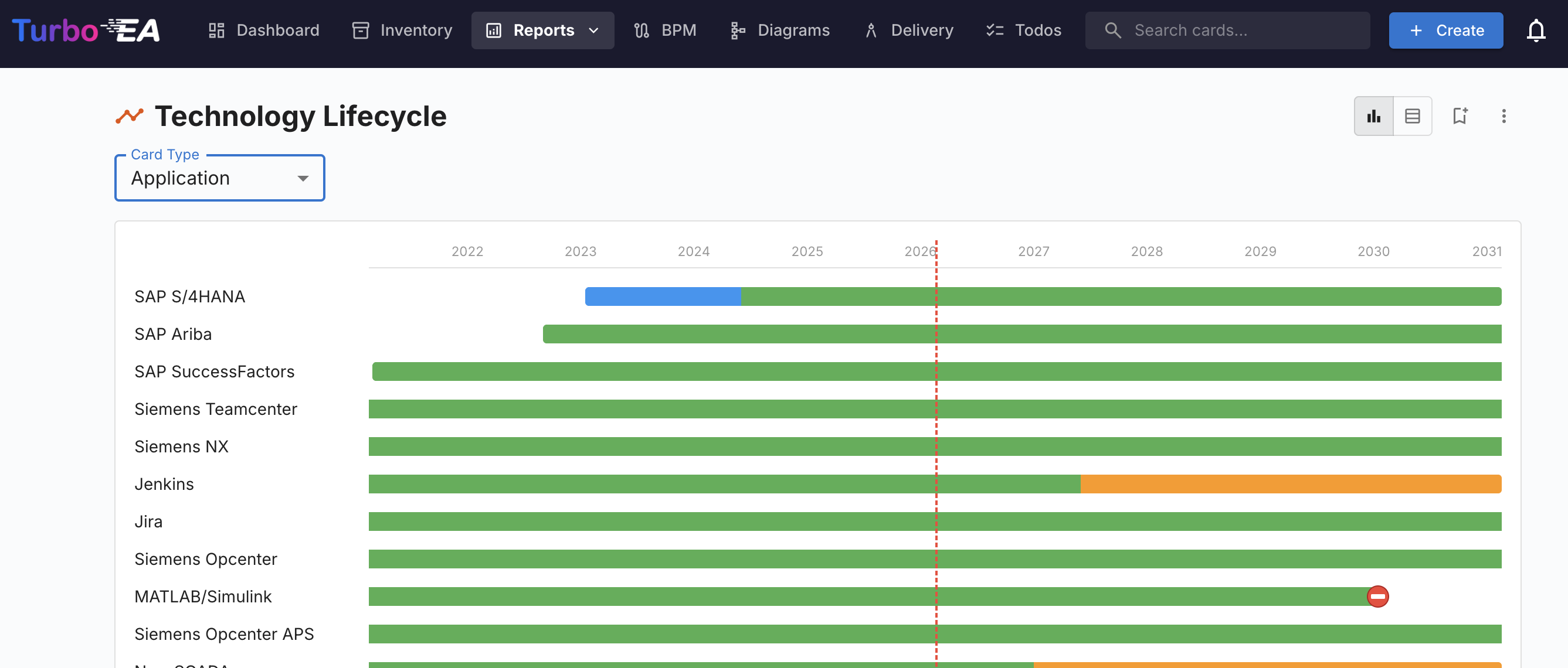
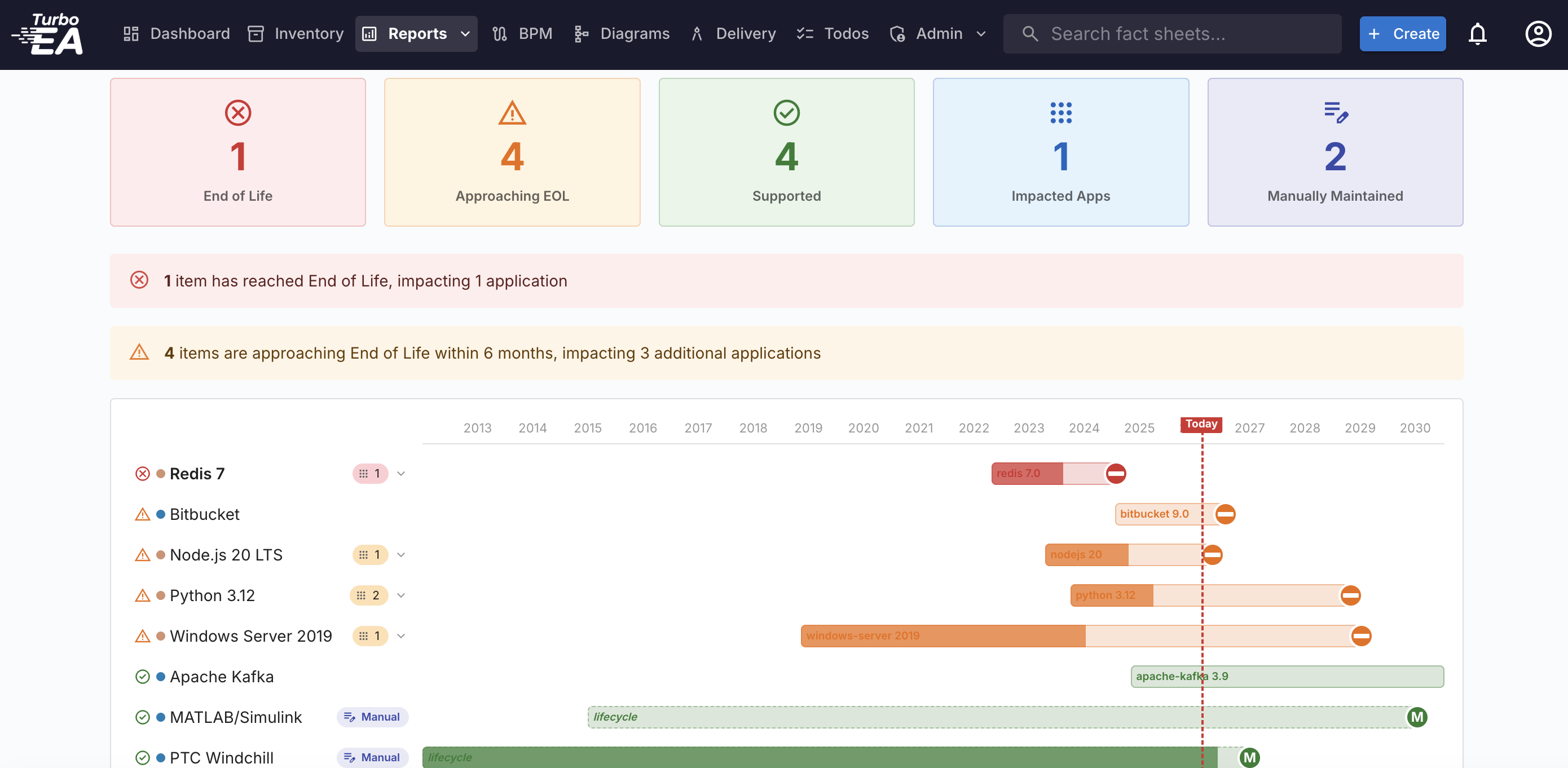
Visualize application lifecycles across time. Track planned, active, phase-out, and end-of-life stages to coordinate transformation.
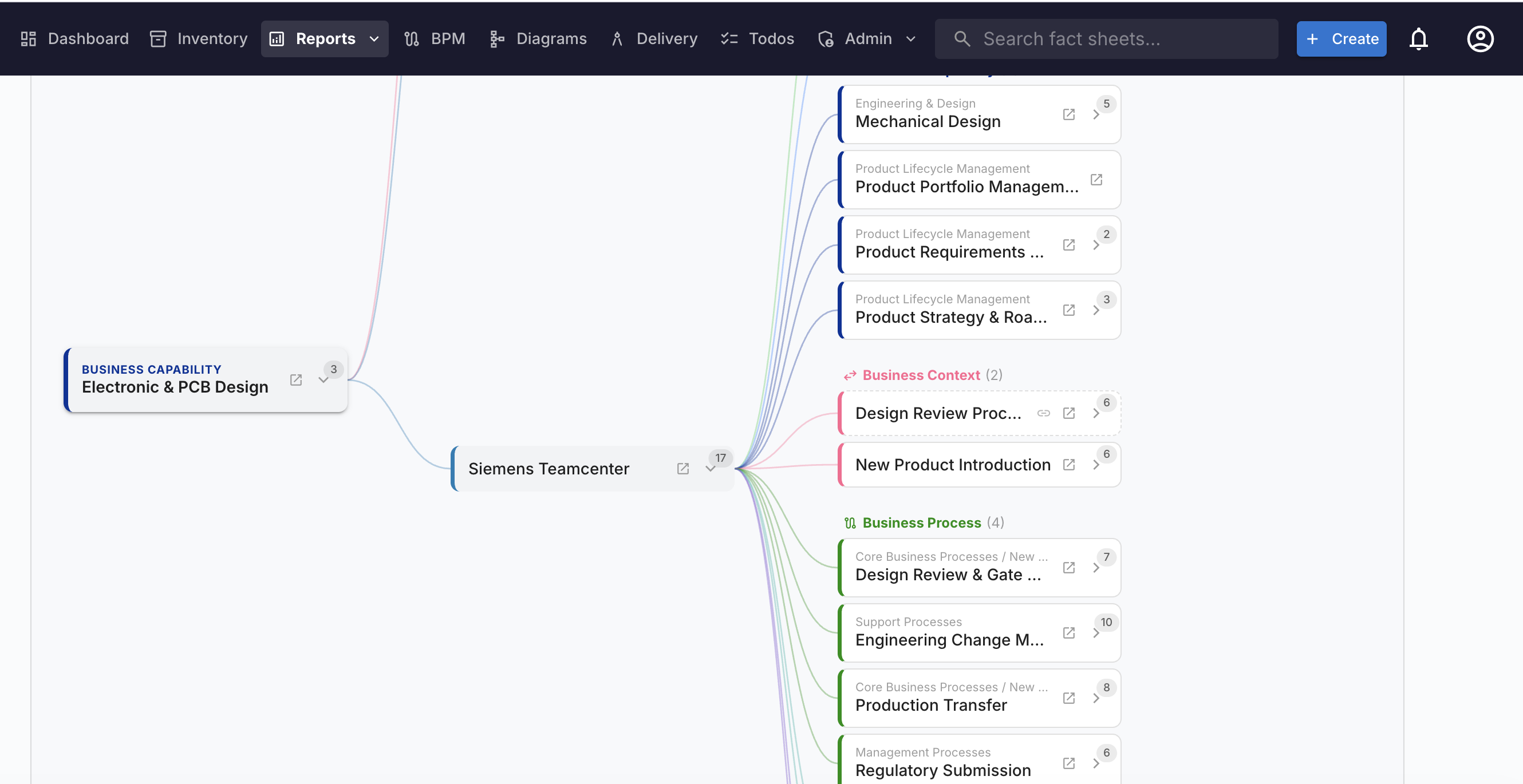
Interactive network visualization of application dependencies with BFS depth limiting. Trace impact paths through your architecture.
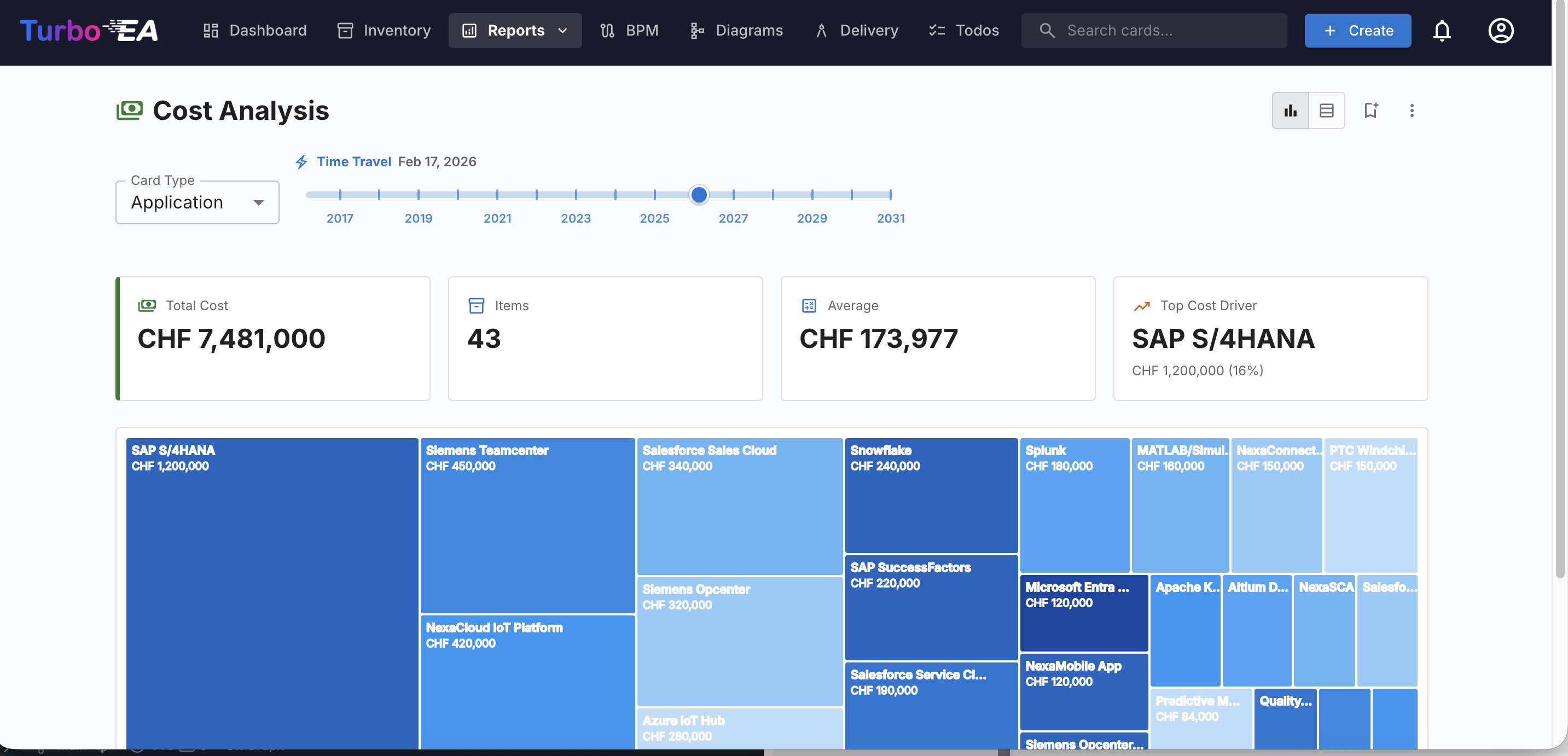
Visualize IT spending as proportional areas. Group by provider, capability, or organization to find optimization opportunities.
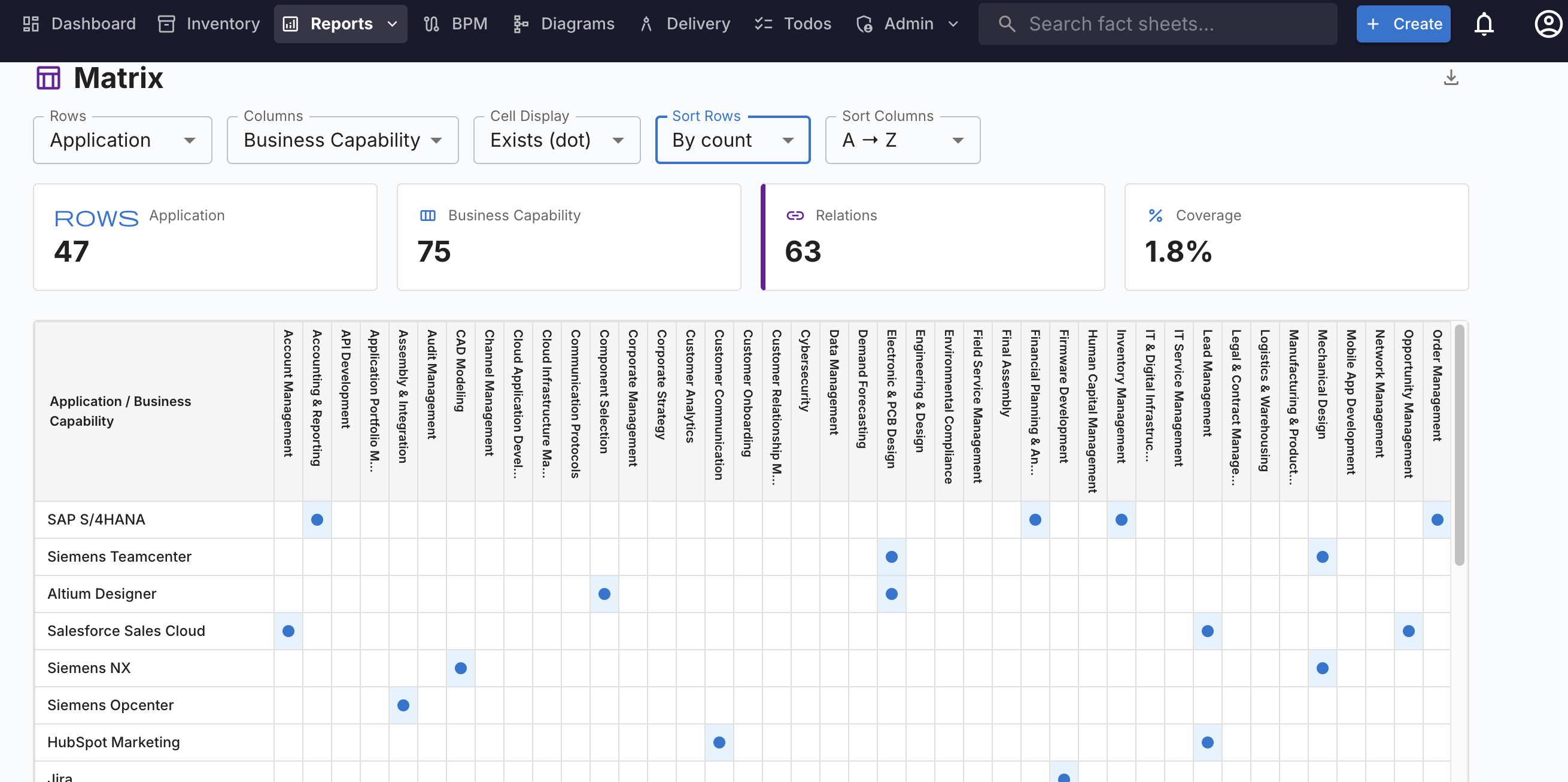
Cross-reference any two card types. Spot coverage gaps, redundancies, and relationships at a glance in an interactive grid.
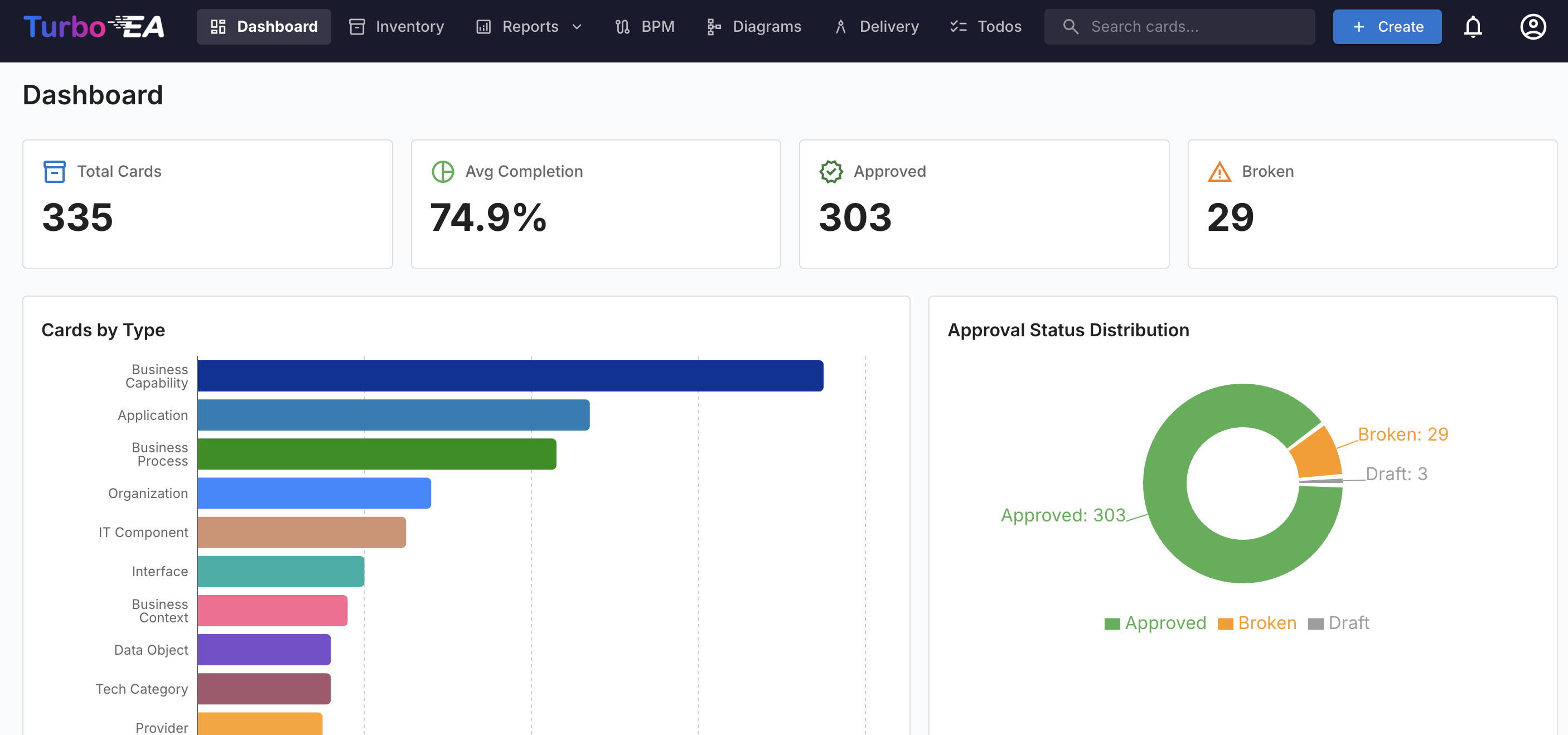
Track completeness scores by type, find orphaned and stale cards, and identify the worst items needing attention.
Built with proven technologies for performance, reliability, and developer experience.
docker compose pull && docker compose up -d
Frontend (Nginx) + Backend (uvicorn) in two containers. Bring your own PostgreSQL.
Code continuously scanned and vetted by CodeQL. Dependencies analyzed with Dependabot for vulnerability alerts and automated updates.
Built-in power. Extensible by design.
Self-hosted DrawIO with custom EA shapes and bi-directional card sync.
Full CRUD API with OpenAPI docs for pipelines, CMDB sync, and dashboards.
Auto-match IT components against 300+ technology products.
Configurable SMTP for notifications, surveys, and sign-off requests.
Bulk-load CMDB exports, Excel, and CSV with field mapping, dry-run preview, and safe repeat loads.
One-click LeanIX import with field mapping and diff preview. Ardoq, Mega, and BiZZdesign importers are on the roadmap.
Export Statements of Architecture Work as formatted Word documents.
Bidirectional sync with field mapping, staged review, and encrypted credentials.
Feed saved views and reports into Excel, Power BI, or any analytics tool.
Integrate with your corporate identity provider, with invited-user setup flows.
Any MCP client can query the repository or create cards, relations, and diagrams from your artefacts.
Unlike SaaS EA tools that lock your architecture data in someone else's cloud, Turbo EA runs entirely in your environment.
The free core is deliberately capable, but every organization has needs the core cannot cover. Extensions add those capabilities without forking or modifying the product. Each one ships as a signed, licensed bundle that installs in seconds from Admin → Extensions, and it keeps working across core upgrades. Pick a ready-made add-on from the Store, or have a bespoke extension built for exactly what you need. Twelve extensions are published today: Roadmap Studio, EA Value Tracker, Automations, DORA Register of Information, EU AI Act Register, Digital Autonomy Assessment, Datadog Sync, Jira Todo Sync, GitLab Todo Sync, GitLab Inventory Sync, SAP Signavio Sync and Slack Notifications.
Ship curated card types, relationships, tags, and reference data, or add new field sections and custom field types to the models you already run. Your team starts from a populated, opinionated baseline instead of an empty canvas.
Connect Turbo EA to the systems that hold your reality, from CMDBs and cloud inventories to HR and finance. Extensions can pull data in, push it out, and keep your digital twin in sync with the tools around it.
Add new pages, card tabs, admin panels, and reports that speak your organization's language. Extensions render inside the product as first-class views, not bolted-on iframes.
Have an extension designed and built for your specific business need by the person who builds Turbo EA. You get exactly the capability you need, delivered as a maintainable bundle you own, without waiting on a core roadmap.
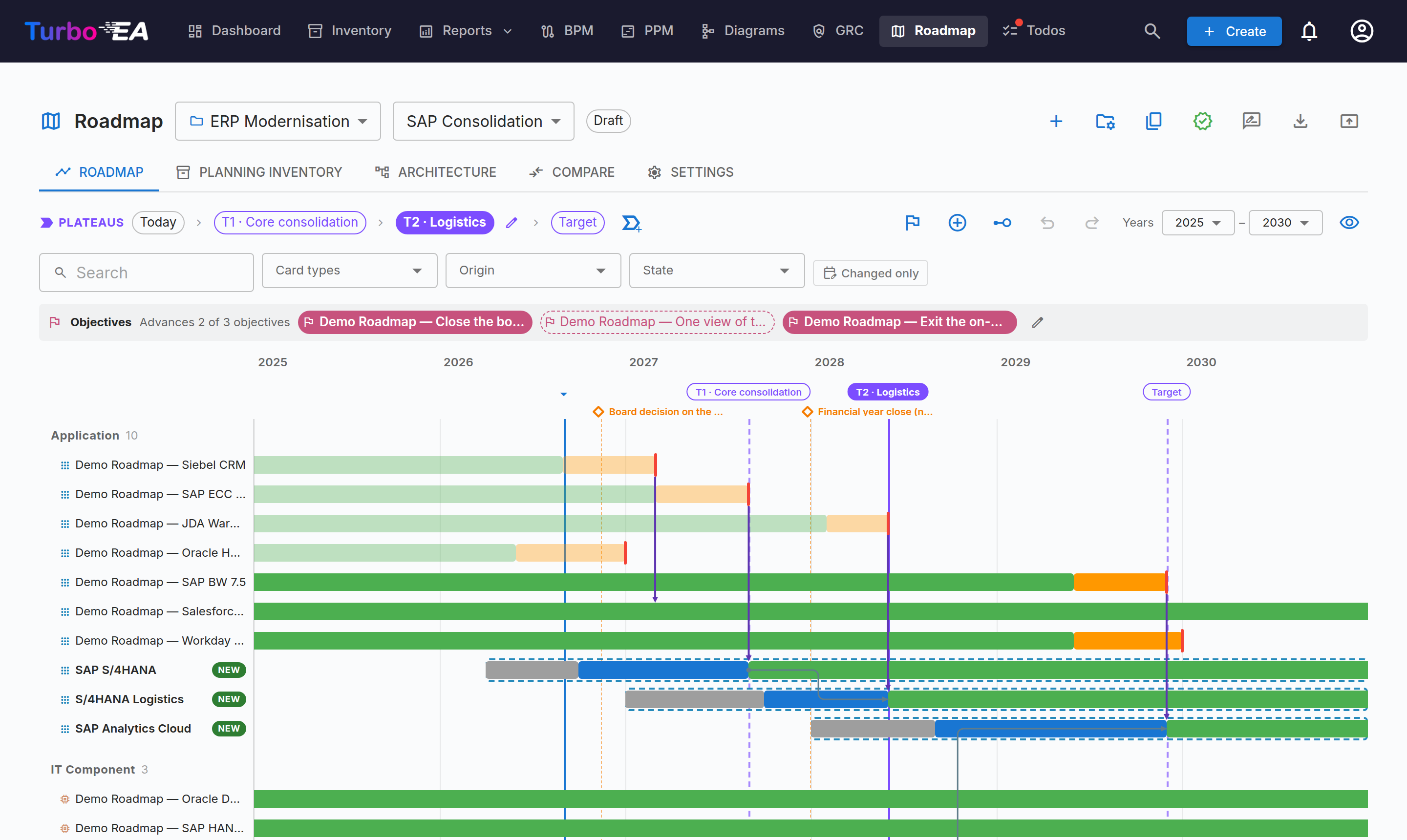
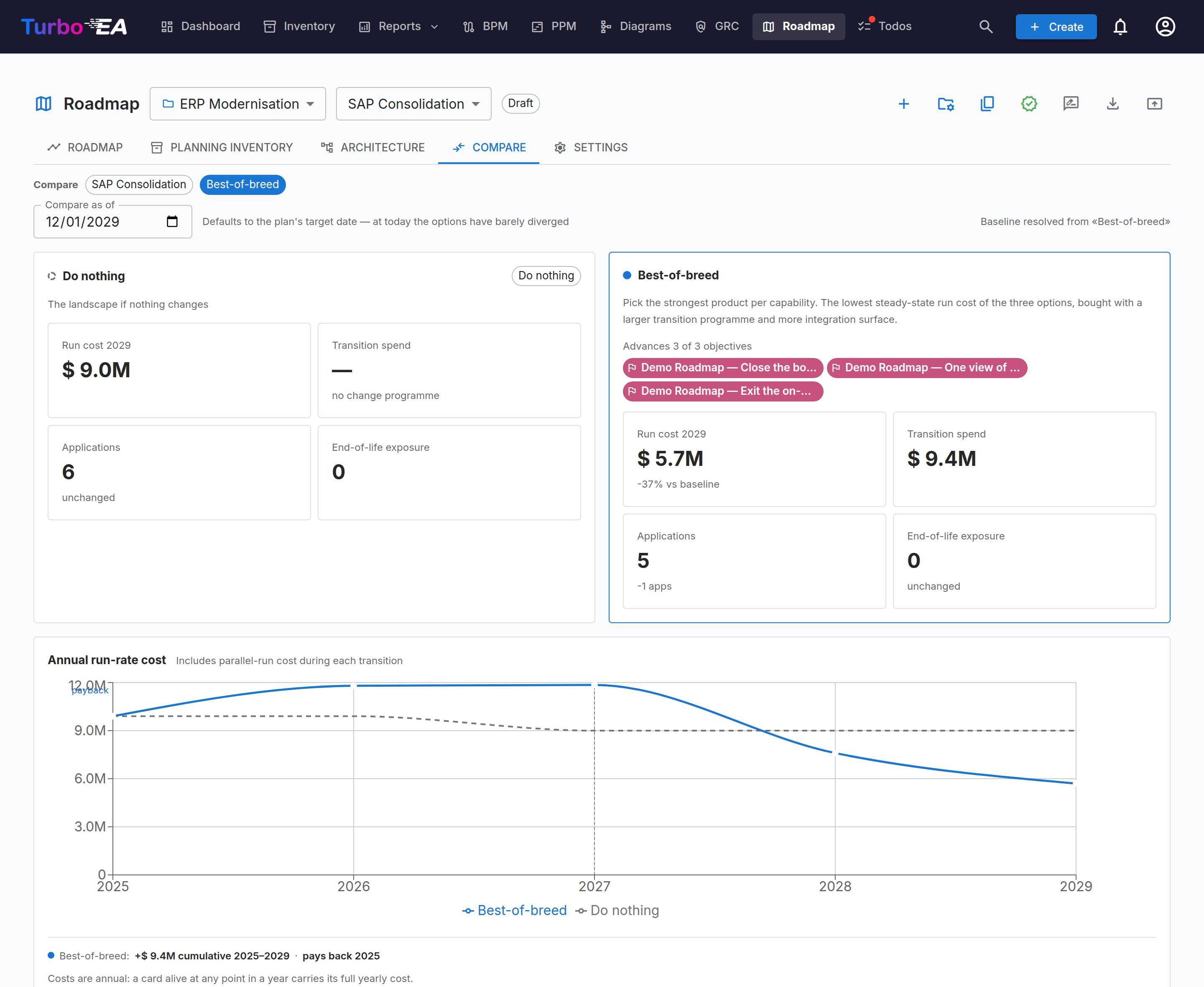
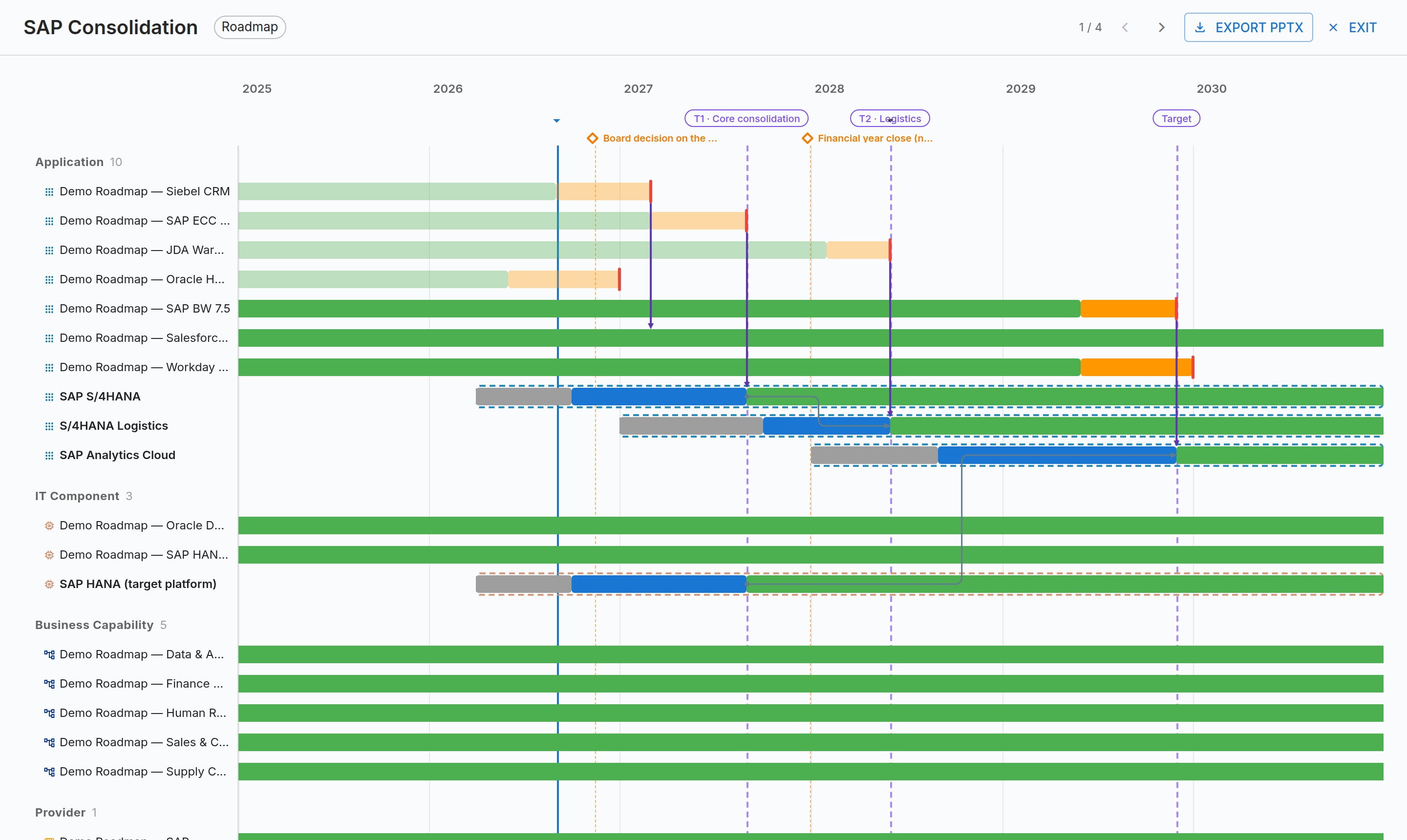
Every CIO asks two questions: what will the landscape look like in three years, and what happens if we choose differently? Roadmap Studio answers both from the inventory you already maintain. A scenario is a set of dated changes laid over the live landscape: cards that do not exist yet, planned retirements and replacements on a date. Nothing touches your inventory until the plan is approved.
Step through the transition architectures at named plateaus, compare each scenario with the do-nothing baseline on run cost, transition spend and end-of-life exposure, and present the result to executives without rebuilding it in PowerPoint. Approving a scenario files a draft decision record, and applying it turns the plan into an Initiative.
Each extension is a signed bundle that installs from Admin → Extensions in one click.
What-if scenarios, transition architectures and scenario comparison over the live landscape.
Claim savings on decision records, approve realizations four-eyes and report the funnel per fiscal year.
Rules that watch cards, relations and the calendar, then raise risks, create todos, set fields, notify owners and call other systems. Every run audited and reversible.
The EU DORA Art. 28 register built from your cards, validated against the EBA rules and exported as xBRL-CSV.
Article-cited AI system classification, obligation tracking against the staged deadlines and register exports.
Utrecht University’s DAAF framework with 22 weighted indicators and an autonomy-quadrant report. Free.
Two-way sync between Turbo EA todos and Jira Cloud issues, with status, due dates and assignees aligned.
Publish cards into the Signavio dictionary and mirror its process directory as Business Process cards.
Read-only enrichment from the Datadog Software Catalog: monitor and SLO state, deployed version per environment and dependencies, kept current by a poll.
Two-way sync between Turbo EA todos and GitLab issues on gitlab.com or self-managed, with status, due dates and assignees aligned.
Seed and maintain the Application inventory from a GitLab group, with classification rules, a dry-run preview and a full audit trail.
Turbo EA notifications delivered as Slack direct messages, opt-in per user and per notification type.
Turbo EA is built by Vincent Verdet, an Enterprise Architect and technology leader with more than 18 years bridging executive business strategy and IT transformation across global manufacturing, pharmaceutical, and engineering organizations. He established the group-wide enterprise architecture function at Sulzer, a CHF 3.6 billion industrial engineering group, and has led cross-functional teams across France, Australia, and Switzerland, with earlier roles at Procter & Gamble and GSK.
He is TOGAF Practitioner certified and holds SAP Enterprise Architect and SAP LeanIX certifications, complemented by executive education in AI strategy at MIT Sloan.
He built Turbo EA so that every organization, whatever its size or budget, can practice enterprise architecture properly, on a platform that is open source, self-hosted, fully configurable, and designed around how architects actually work. Read the full story in Why I built Turbo EA.
He also writes about Enterprise Architecture, AI-assisted development, and IT leadership on the Architecting Tomorrow blog.
Turbo EA is free and open source. When you want help putting it to work, or you need a capability that is not in the core, you can engage the person who builds it. New capabilities are usually delivered as extensions, with changes to the core reserved for the exceptional cases that genuinely belong there.
Tell me about your context and what you are trying to achieve. I read every message and reply personally.
Deploy Turbo EA in minutes. The first user gets admin automatically. Add your team, configure your metamodel, and start building your architecture digital twin.
Free and open source under the Functional Source License (FSL-1.1-MIT). No registration, no per-seat fees. Deploy on any Docker host.
New to Turbo EA? Read the frequently asked questions, or see how it compares with commercial EA tools.